ugcflows
How to become a UGC creator in 2026: a step by step guide for beginners
9 min readUGC Flows
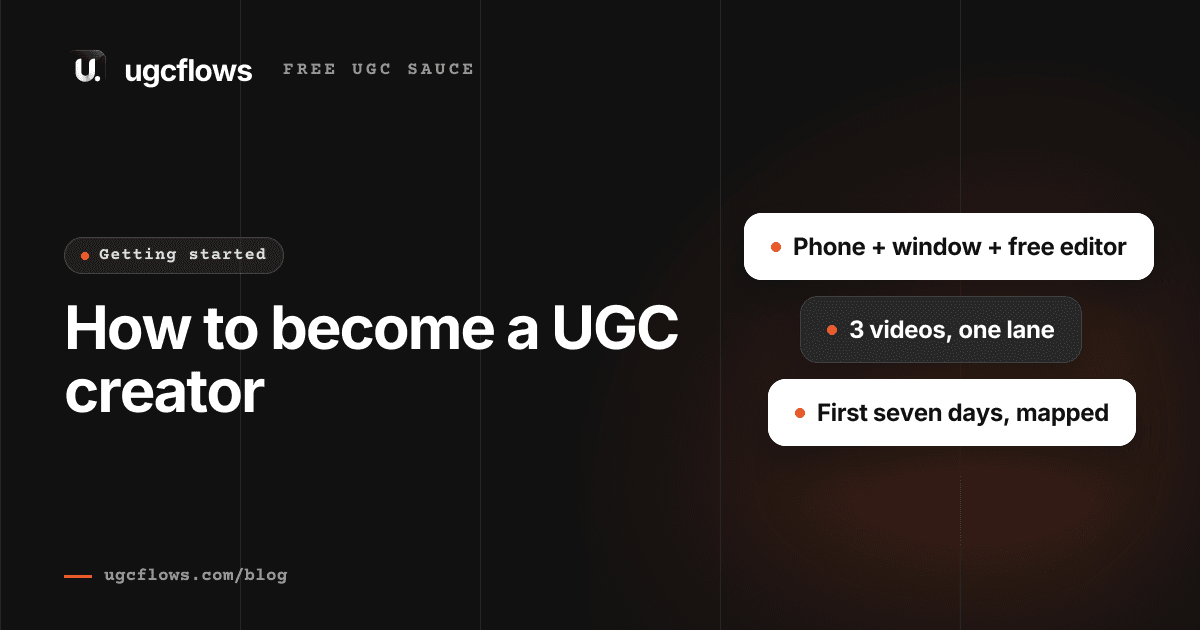
A UGC creator makes short videos for brands to post. The brand pays for the video, not for your audience, so you can start with no followers. Here is what to film first, how to show it to brands, and what to charge for it.
Key takeaways
- Brands pay for the video, not for your audience. Your follower count is not part of the deal.
- A phone, a window and a free editing app are enough to make your first video.
- Pick one lane and make three videos in it. Three clean cuts beat fifteen mixed ones.
- Your first pitch should carry a finished video, not a paragraph. Almost nobody sends one.
- Price the licence, not just the filming. What the brand may do with the video is most of the money.
On this page
What a UGC creator actually does
UGC stands for user generated content. A UGC creator makes a short video for a brand. The brand posts it on their own account, or runs it as an ad. You get paid for the video.
That is the whole job. You are not selling your audience. You are selling a video that looks like a real person made it, because that is what a brand needs and cannot film themselves.
This is why it is a job you can start this week. A brand hiring a UGC creator is buying a file and the right to use it. They do not open your profile to count followers.
| Influencer | UGC creator | |
|---|---|---|
| What they buy | Your audience | Your video |
| Who posts it | You | The brand |
| Followers needed | Yes, that is the product | No |
| Paid for | Reach | The file and the licence |
Do you need followers?
No. The video runs from the brand account. Their audience sees it. Yours never does. So the number next to your name changes nothing about whether it works.
What a brand checks instead is short. Can you film clearly. Can you talk to a camera. Can you make the video their brief asks for. All three are skills, and all three can be learned in a couple of weeks.
There is one case where your account does matter. If the brand wants the ad to run from your handle, that is whitelisting, and it is a separate thing you charge extra for.
What you need to start
The list is shorter than people expect. You do not need a ring light, a mic or a camera to get a first deal. Buy those later, out of money a brand paid you.
| What | Use | Cost |
|---|---|---|
| Camera | The phone in your pocket | $0 |
| Light | A window, with your face pointed at it | $0 |
| Sound | Indoors, close to the phone, fans off | $0 |
| Editing | CapCut, or the editor already on your phone | $0 |
| A page to send | One link that plays with no login | $0 |
Pick one lane before you film anything
A page with three skincare videos gets hired for skincare. A page with one skincare, one gym and one coffee video gets compared on price.
Pick a lane you already live in. It shows on camera. If you spend your day on a laptop, tech is the easy answer, and it is also where a lot of the work is right now. Tech UGC is its own guide.
- Tech: apps, AI tools, study sites, anything that lives on a screen
- Skincare and beauty
- Fitness and supplements
- Food and drink
- Home and cleaning
Make your first video
Every UGC video that works has the same five parts. Learn the shape once and you can fill it in for any brand.
- 1
Hook
The first two seconds. Say the problem, not the product. "I had 18 tabs open for one essay" beats "this app is amazing".
- 2
Problem
One line on why that is annoying. Keep it real. This is the part a viewer nods at.
- 3
Product
Show the thing. In your hand, or on your screen. Do not read the feature list out.
- 4
Proof
The bit where it worked. The finished notes, the clear skin, the shorter list.
- 5
What to do
One line telling them what to press. Short. Then stop.
Film it and cut it
Film in one sitting. Say the whole thing, mess it up, say it again. Keep the take that sounds most like you talking to a friend.
Then do three things in the edit. Cut the dead air. Burn in captions. Export it upright. Free apps do all three and nobody can tell which one you used.
Turn three videos into a page
Once you have three, put them on one link. Not a drive folder that asks for access. That is where most pitches quietly end.
Brands open it on a phone, between two other tabs. They watch the first cut and maybe the second. So your best one goes first and the rest can wait.
What goes on it, what to leave off, and the four layouts that get booked are all in the portfolio guide.
Find brands and send the pitch
Now you need somebody to send it to. The short version: pick brands you already use, make one video for the one you want most, and put that video in the message.
Out of everybody applying, almost nobody sends a video. They send a paragraph about what they would make. A finished cut is the whole advantage, and it costs you one afternoon.
- 1
Pick five brands
Ones you use, in your lane. Small and mid sized companies reply far more than famous ones.
- 2
Make one video for your top pick
Their product, your face, your words. Two hours of work, and it goes on your page either way.
- 3
Send it with the link
Five lines. What of theirs you watched, what you made, the link, your rate, how to reach you.
- 4
Follow up once
Four or five days later, one line. A lot of replies come from the follow up and not the first message.
What to charge when you are new
This is where new creators lose the most money, and it is not the headline number they lose it on.
A standard 15 to 30 second video starts at $150 on our own numbers. That is for the brand posting it on their own account for 30 days and nothing else.
The same video, with ad money behind it and no end date, is worth about three and a half times that. Nothing about the filming changed. What changed is usage rights, which is what they may do with it and for how long.
So never send a price without saying what it covers. A price with no window on it is a price for keeping the video forever.
The rate calculator does the maths and hands you the sentence to send back. It is free and it does not ask for an email. The reasoning behind it is in how much to charge for UGC.
Your first seven days
- 1
Day 1
Pick your lane. Claim your page link. Save five brands you would like to work with.
- 2
Day 2
Watch the best video each of those five has posted. Write down why the first two seconds hold you.
- 3
Day 3
Film your first video for your top brand. One sitting. Do not aim for perfect.
- 4
Day 4
Edit it. Dead air out, captions on, upright. Put it on your page.
- 5
Day 5
Send it. Five lines, video linked. Then film the second one.
- 6
Day 6
Film and cut the third. Your page now has three videos on it.
- 7
Day 7
Send two more pitches. Follow up on the one from day 5.
What goes wrong, and the fix
| What happens | Why | What to do |
|---|---|---|
| Nobody replies | You sent a paragraph | Send a finished video with it |
| They go quiet after the price | The price had no window on it | Say what it covers, and for how long |
| One deal, then nothing | The page still has one video on it | Add every cut you make, best one first |
| The video looks cheap | It was filmed away from the window | Face the light. Nothing else matters as much |
| You never send anything | You are waiting for the page to be finished | Send after the first video. The page fills up while you pitch |
After the first deal
The job changes shape once the money is real. You have to send an invoice, keep the terms straight, and know which video earned what.
How to invoice a brand covers the document and the tax side. Once more than two brands are paying you in different ways, tracking it stops being something a spreadsheet can do.
You also do not have to work it out alone. Our free community is where creators post what a brand offered them and ask whether it is fair before they reply.
Questions people ask
- Can you be a UGC creator with no followers?
- Yes. A brand hiring a UGC creator is buying the video file and the right to use it, not access to your audience. They post it on their own account, so your follower count never enters the deal. The one exception is whitelisting, where the ad runs from your handle, and that is charged as its own line.
- How much does a beginner UGC creator make per video?
- Our own starting number for a standard 15 to 30 second video is $150, for the brand posting it on their own account for 30 days. What moves that figure most is not experience, it is the licence. Ad rights, a longer window or whitelisting can take the same video past $300, so learn to price the licence and the first number matters much less.
- What equipment do you need to start UGC?
- A phone, a window and a free editing app. That is the whole list. Sound and light are what make a first video look cheap or clean, and both are free to fix: film indoors facing a window, close to the phone, with fans and music off. Buy a mic later, out of money a brand paid you.
- Do you have to show your face to do UGC?
- No. A lot of paid work is hands only, screen only or voiceover. Product demos, unboxings and app walkthroughs are often filmed with no face in them at all. Showing your face widens what you can be booked for, so it is worth getting used to, but it is not a requirement to start.
- Is UGC saturated in 2026?
- There are more creators than there were, and there are also many more brands buying. What is crowded is the bottom: pages with a mixed set of videos, no lane, and a link that asks for access. A creator with three clean videos in one category and a page that opens on a phone is still uncommon, which is most of what this guide is about.
- How long does it take to get your first UGC deal?
- Nobody can promise a timeline and anybody who does is guessing. What we see is that the creators who land work first are the ones who send a finished video with the pitch instead of a paragraph, and who keep sending after the first few get no reply. Volume plus a real video is the pattern, not a magic number of days.
How we know
We run the platform brand campaigns get posted on, so we read the briefs, the rates and the reasons creators get turned down. The starting numbers below are the same ones our own rate calculator uses. The mistakes are the ones we watch people make in their first month.
UGC Flows · published · last reviewed
Stop running your tech UGC business by hand.
The editing, the posting and the finances of a UGC business in one app, from $199 a month. Brand campaigns on Pro.
Get Flows